Guild Wars 2 social help overview
If you mostly play solo, use Guild Wars 2 social tools when they solve a specific problem: finding an event group, asking a question, following a commander, or keeping track of someone you met. Many events let you participate without formally joining a group, so player cooperation can be as light as fighting near other people, clicking a shared waypoint, or following a map tag.
Ask questions in map chat
steps
- Open map chat when you have a question about where to go, what an event needs, or how a system works.
- Do not be afraid to ask people in map chat.
- If someone answers with a location, waypoint, commander tag, or group suggestion, use that information to join the right activity.
- When you want more help than a chat answer gives, join people or groups instead of continuing alone.
Join guilds
Choose guilds by what you want from them
Join an event guild when you want organized activities and easier access to groups.
Join a teaching guild when you want people who focus on explaining the game.
Join a social guild when you mainly want chat, company, or a place to meet players.
You can join up to five guilds at once, so you do not need to make one guild cover every part of the game. Try more than one guild if you are still looking for a fit.
Use the looking-for-group board
steps
- Open the contacts panel.
- Use the looking-for-group board to find players or commanders advertising activities.
- Join a listing that matches what you want to do.
- If the board looks empty, ask around for active hours before assuming nobody runs that content.
- For World vs World, check around reset time when looking for more active groups.
Party and squad sizes
comparison
Party
A party can have up to five total players. Guild Wars 2 does not use a party leader system, and players can vote-kick certain party members.
Squad
A squad can have ten players and adds options such as placing markers on players, enemies, or locations in the world. Squads are mainly used for raids and strike missions.
Commander squad
A commander tag lets a player create a fifty-player squad. The commander can invite or kick people directly.
Commander tags

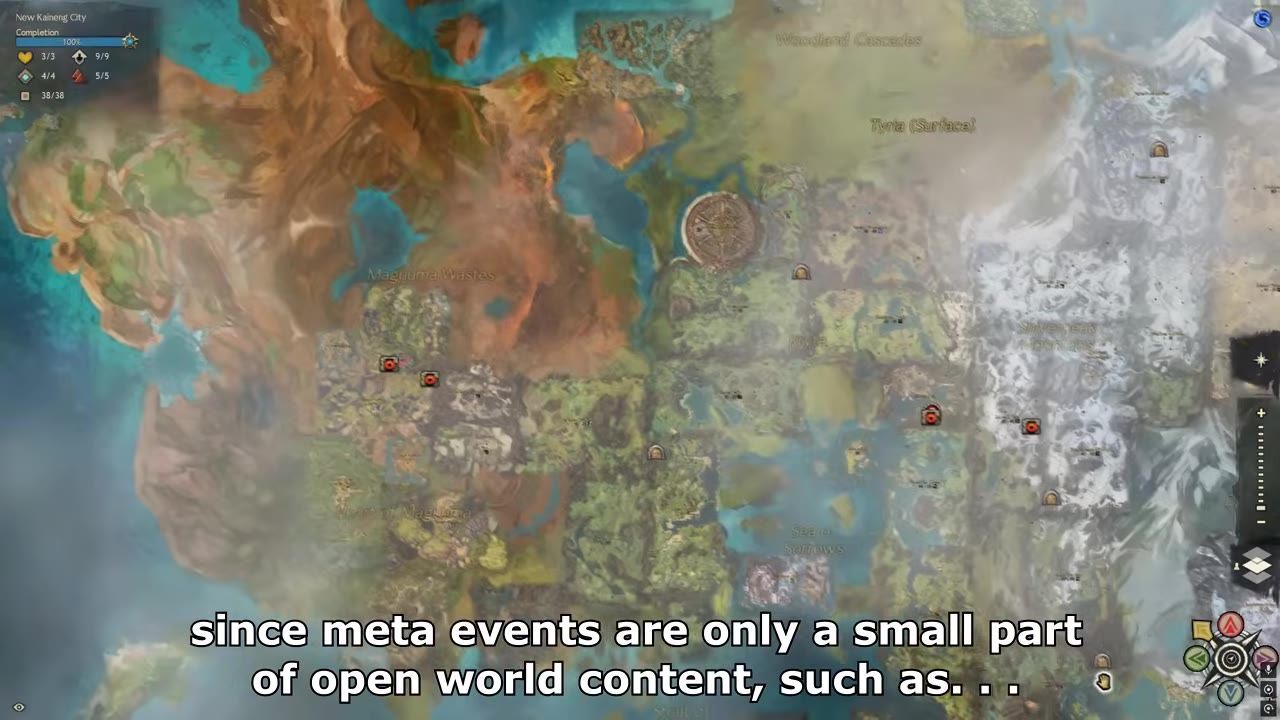
The world map view displays locations and various icons, including markers associated with commanders.
Screenshot: Laranity
Follow or use commander tags for large-scale content
Follow a commander tag when you see one on the map and want to check whether a public activity is happening.
Join the squad when the commander allows it and you want squad chat while following along.
Buy a commander tag when you have a lot of gold and want to lead fifty-player squads for WvW or massive open-world events.
The map icon marks a player who has tagged up as a commander. Commander tags are also used for world bosses, meta events, and bounty trains.
Mentor tags
Mentor tags are unlocked through the Pact Commander mastery track.
Friends, followers, and blocking
Add players to your friends list when you want to find them again or see when they log in. Block a player when you do not want to interact with them. Followers are players who have added you to their friends list while you have not added them to yours.
Share waypoint links in chat

The chat box shows a shared waypoint link in the game.
Screenshot: DeployableLover
steps
- Shift-click a waypoint to create its chat link.
- Put the waypoint link into chat.
- Send the message.
- Click waypoint links that other players send when they are calling a location, route, attack, or defense.
Waypoint links are useful when you need to communicate where you are or where the group is going, especially in World vs World.
Join World vs World and meta event groups
When to group for public content
Stay ungrouped when the event does not require a party or squad and you only want to participate nearby.
Join a World vs World group when you want clearer movement calls, shared waypoint links, and better coordination around objectives.
Join a meta event group when you want to follow organized public activity and meet people through events.
Ask questions, join people, and check active hours when you want the social side to do more than fill chat.
In this series
- Guild Wars 2 Beginner Tips: A Calm Start Guide for New Players
- Deposit materials and use all
- Guild Wars 2 Leveling Guide: Early Builds and Open-World Exploration
- Guild Wars 2 Interface Shortcuts: UI Tips New Players Should Know
- Selling Junk in Guild Wars 2: Vendors, Salvaging, and /wiki
- Guild Wars 2 Gear Progression: What to Upgrade While Leveling and at 80
- Guild Wars 2 Character Creation: Race, Profession, Server, and First Choices
- Guild Wars 2 Inventory Management: Identify, Salvage, and Deposit Gear
- Guild Wars 2 Dungeon Access: How Story and Explorable Modes Work
- Movement and combat basics
- Level 80 progression systems
- Guild Wars 2 Expansions Features: Mounts, Gliding, Elite Specs, and Story
Sources
- 20 Guild Wars 2 Tips Every New Player MUST Know!, Laranity
- Huge Quality Of Life Tips I WISH I Knew When Starting Out In Guild Wars 2 - New Player Guide, DeployableLover
- New Players Roadmap To Guild Wars 2 in 2026, Caffeinated Dad Gaming
- 117 Beginner Tips for Guild Wars 2, Athis