To start in Ragnarok Online, create a character, complete the basic tutorials, allocate stats strategically, join the Eden Group for quests and rewards, and equip Eden equipment to enhance your abilities.
Character Creation
The first step in Ragnarok Online is choosing a character. You have two race options: Human or Doram. The Human race allows access to all classes except the Summoner class, which is exclusive to Doram. Pick a race based on your desired gameplay style. Provide a name for your character and enter the world to begin your adventure.

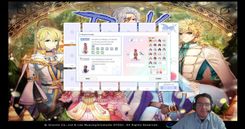
The character creation screen displays race options, name input fields, and appearance customization settings. — GearGamingRO
Basic Controls and Navigation
Ragnarok Online uses a mouse-based movement system. Click the left mouse button to move your character and navigate between maps. Access the interface by pressing Alt+V to reveal essential menus like status, inventory, and equipment. Familiarize yourself with these menus, as they will be critical for managing your character's progress.
Set up custom skill shortcuts for efficient gameplay by modifying your hotkeys in the configuration menu. After adjusting your hotkeys, activate "battle mode" using the /bm command for seamless skill usage. Lastly, ensure you save your spawn point by interacting with the NPC, which allows you to respawn at a known location upon death.
Stat Allocation and Leveling
Allocate stat points wisely based on your intended class. Each stat affects your skill set and performance differently:
- Strength increases melee physical damage and carrying capacity.
- Agility boosts attack speed and dodge rate.
- Vitality enhances your HP, defense, physical, and magical resistance.
- Intelligence is important for magic damage, SP, and faster casting times.
- Dexterity improves hit accuracy and is critical for ranged attacks.
- Luck enhances critical chances and provides additional Dodge for evasion.
Start by leveling the 'Basic Skill' to level 9; this unlocks your first job options. Use online resources, such as guides and wikis, to plan future builds. Initially, utilize beginner quests and hunt easy monsters like Lunatics and Fabres to level up and gain job points.

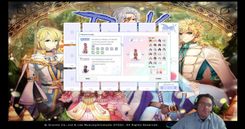
The stat allocation menu appears open on the screen, showing stats and their details. — GearGamingRO
First Quests and Missions
Begin your journey by registering at the academy. Complete the initial tasks, which provide beginner potions and items, making your starting experience smoother. Accept and complete quests to gain rewards and experience. Simple tasks may include talking to NPCs or hunting monsters like Lunatics and Fabres found in Prontera Field. Use the quest list and mini-map to navigate the game world efficiently.

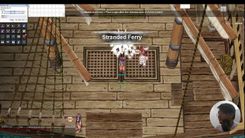
The quest menu is displayed, detailing an active mission and its descriptions. — GearGamingRO
Introduction to Eden Group and Equipment
Joining the Eden Group should be a priority for beginners. Speak with the Eden Group Officer and follow the instructions to join. As a member, you will gain access to mission boards offering beginner-friendly quests and useful rewards. The group provides free equipment through instructor missions, which significantly improve your stats and abilities. Equip your new gear to maximize its benefits; the Eden Group items include healing potions and teleportation items, simplifying navigation and combat during early gameplay.
Essential Beginner Tips
- Collect and sell monster drops to earn Zeny, which can be used to purchase essential items.
- Stock up on consumables like Novice Potions, Speed Potions, and Fly Wings for convenience and survival during your journey.
- Use navigation tools to find NPCs and target monsters efficiently.
- If a quest seems incomplete or plagued by a bug, consider reporting the issue to War Portal Support.
- Prioritize learning the basics of movement, combat, and game mechanics before advancing to complex content.
FAQ
What are the options for character creation in Ragnarok Online?
You can choose between Human and Doram races. Humans have access to all classes except Summoner, while the Doram race is limited to the Summoner class.
How do I allocate stats as a novice in Ragnarok Online?
Allocate stats based on your intended class: Strength for melee damage, Agility for attack speed and dodge, Vitality for health and defense, Intelligence for magic damage and casting speed, Dexterity for accuracy, and Luck for critical hits and Dodge.
What quests should I do first in Ragnarok Online?
Start by registering at the academy to receive beginner potions and items, then accept quest objectives such as talking to NPCs or hunting easy monsters like Lunatics and Fabres on Prontera Field.
How do I join the Eden Group in Ragnarok Online?
Speak to the Eden Group Officer in the main town and follow the dialogue until you are officially enrolled in the group.
What equipment should I prioritize as a beginner in Ragnarok Online?
Focus on acquiring Eden equipment through instructor quests in the Eden Group. These pieces of equipment are free and provide excellent stats for new players, lasting until you transition into more advanced classes.
Sources
Screenshots on this page are frames from the videos below, used to illustrate the steps they describe. All rights remain with their creators.
- New Player Guide for Ragnarok Online — GearGamingRO, September 15, 2024