To start as a novice on iRO Chaos server in Ragnarok Online, choose the Human race to unlock versatile job paths, prioritize basic skill leveling, assign your stats wisely, and utilize the navigation system and Eden Group for quests and gear. Changing to your first job is a top priority.
Creating Your Character
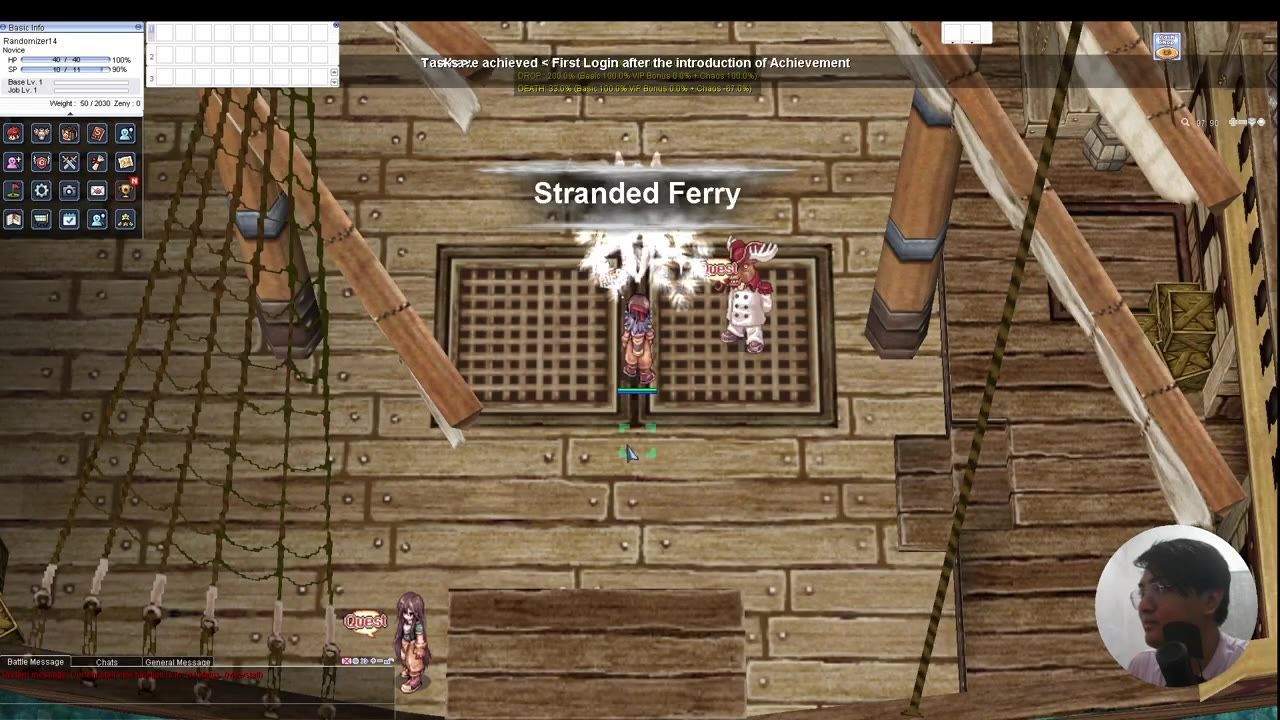
Begin your journey in Ragnarok Online by creating your first character. Select "Human" as your race to access all the standard job paths except Summoner. Customize your character's appearance, choose a unique name, and enter the vibrant world of the game. Once loaded, familiarize yourself with the basic controls and interface while learning to navigate your surroundings.

Character creation screen shows Human selection highlighted with various customization options displayed. — GearGamingRO
Steps: Creating Your Character
- Open the character creation menu and choose "Human" as your character race.
- Customize your character's appearance (hair, color, etc.) and name appropriately.
- Enter the game world to begin playing as a novice, learning to control movement using left click.
Understanding Stats Allocation
Stats in Ragnarok Online determine your effectiveness in combat and other scenarios. Upon leveling up, distribute your stat points based on your intended job. For melee beginners, prioritize Strength (for damage and weight capacity), Vitality (for health), and Dexterity (for accuracy). Agility is recommended for increasing attack speed and dodge rate, especially if aiming to become a thief or similar job. Magic-oriented novices will benefit from Intelligence.
Hover over each stat in the game for detailed information about their effects. As a novice, balance your stats to support survival and basic attacks.
Using the Navigation System
Ragnarok Online includes built-in navigation tools to guide players toward quests, NPCs, and monsters. This feature simplifies finding locations and completing quests efficiently.

The game's navigation system displays options for locations and quests in the interface. — GearGamingRO
Steps: Using the Navigation System
- Open the navigation tool in the interface.
- Search for NPCs, areas, or monsters by typing their name into the navigation search bar.
- Follow the displayed route on the minimap to reach your selected target.
- Click on blue, interactive names in your quest log for direction if navigating to a specific NPC.
Joining the Eden Group
The Eden Group is a crucial resource for novice players. It offers free gear and beginner-friendly quests to help you level up quickly and comfortably. Joining this group should be one of your first priorities upon starting.
Steps: Joining the Eden Group
- Speak to the Eden Group officer and locate the NPC "Secretary Lime Evenor" in the Eden Group building.
- Accept the invitation to join the Eden Group and follow the dialogue prompts.
- Equip the items provided by the Eden Group to upgrade your gear.
- Interact with the Eden Group mission board to accept quests for leveling and studying the game's mechanics. Start with simple missions like hunting Lunatics or Fabres.
Equipping and Managing Inventory
Managing your gear and inventory is essential for survival and efficiency. After joining Eden Group, you'll receive beginner items such as potions and upgraded weapons.

Inventory and equipment panels are displayed alongside character stats and gear. — GearGamingRO
Tips for beginners:
- Use hotkeys (like F1, F2, etc.) for quick access to healing items.
- Customize your hotkeys in the options menu and enable battle mode with "/bm."
- Ensure your game settings are configured for optimal gameplay and toggle auto-attack using "/nc" for easier battles.
- Consider buying beginner-friendly items, such as Fly Wings for map navigation and Light Potions from merchants.
Changing from Novice to First Job
To advance from novice to a first job in Ragnarok Online, focus on leveling your basic skills to level 9. At this point, you can select your first job and transition into specialized gameplay.
Steps: Changing Jobs from Novice
- Level up basic skills to level 9 by distributing skill points after obtaining them through leveling.
- Visit the academy in the starting town (Izlude) or search online for specific instructions on first job quests.
- Speak with the NPC corresponding to your chosen job to complete the necessary tasks or dialogues.
- Once the job change requirements are completed, confirm your choice to switch to your first job and gain access to unique skills and boosts tailored to that role.
FAQ
How to level up as a novice in Ragnarok Online?
Focus on killing beginner monsters like Lunatics, Fabres, and Poring. You can also accept quests from the Eden Group mission board designed for novices. Leveling your basic skills to level 9 is important for advancing to your first job.
What are the recommended stats for a novice in Ragnarok Online?
Start with Strength for damage and weight capacity, Vitality for health, and Dexterity for accuracy. Agility is ideal for attack speed and dodge if you're becoming a thief, while Intelligence and Dexterity are priority for magic users.
How to use the navigation system in Ragnarok Online?
Use the navigation system to locate NPCs, monsters, and maps. Access it via the game’s user interface, search for your target, and follow the indicated path on the minimap.
How to join and use Eden Group in Ragnarok Online?
Speak to the Eden Group officer in Izlude and interact with Secretary Lime Evenor to join. Use the mission boards to select quests, and take advantage of the helpful beginner equipment they provide.
How to change jobs from novice in Ragnarok Online?
Reach level 9 in your basic skills. Visit class-specific NPCs in the academy or online quest locations for class transitions. Follow their instructions to complete the job change process.
Sources
Screenshots on this page are frames from the videos below, used to illustrate the steps they describe. All rights remain with their creators.
- New Player Guide for Ragnarok Online — GearGamingRO, September 15, 2024